Thirty spaces.
One herd.
A sidebar that sorts itself, a colour for every customer, tabs that name themselves and every waiting agent one key away. Each tool installs and works on its own: take only the ones you want.
herdr plugin install MrBogomips/herdr-tools/space-herderNew to Herdr? It is a terminal multiplexer for coding agents: herdr.dev ↗
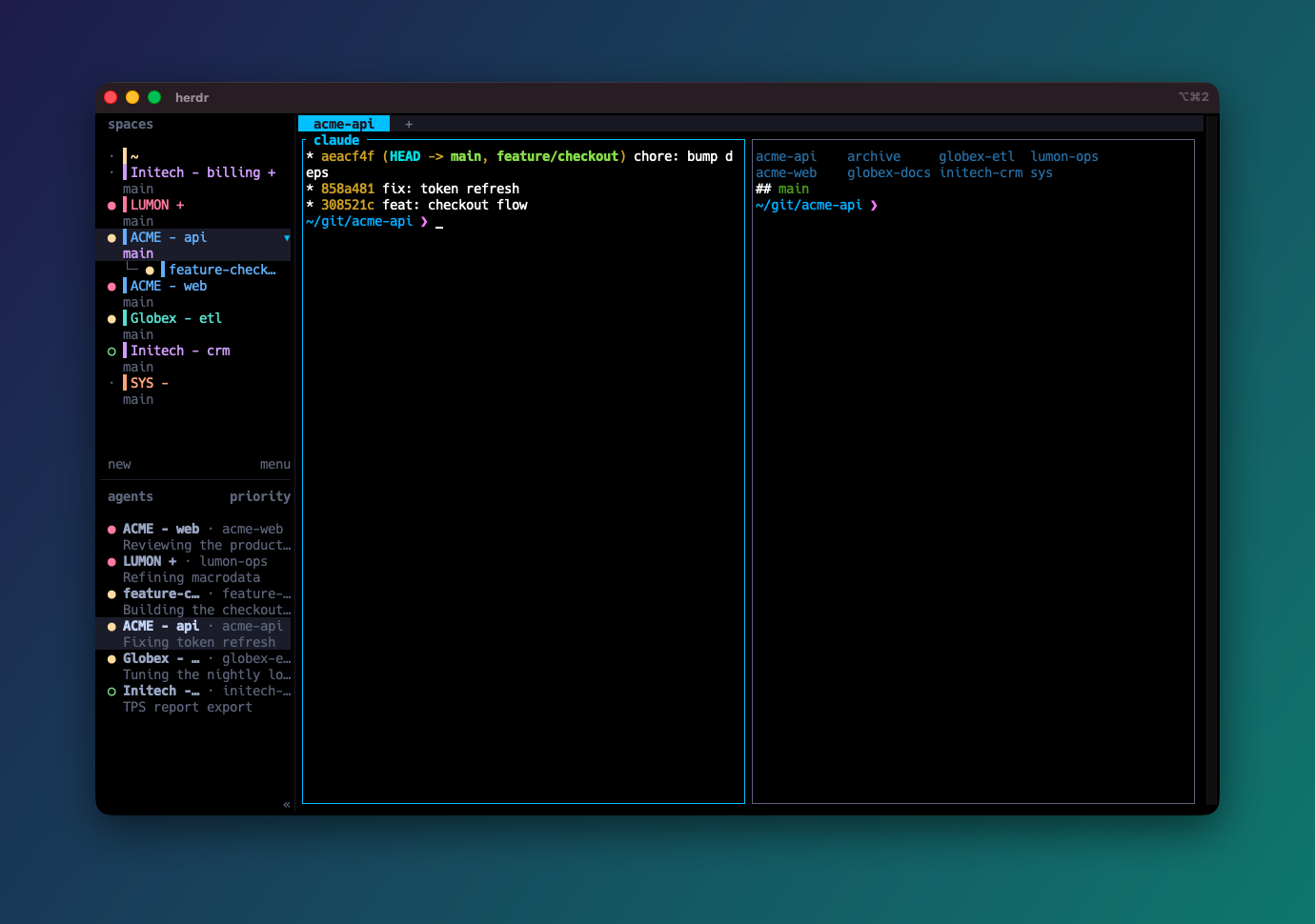
Paste your spaces. Watch them herd.
Space Herder's sort and colour rules, ported to JavaScript, running in your browser, and checked against the plugin on every push. Type your real space names, pick a palette, and copy the config that gives you this sidebar.
Indent a line to make it a worktree of the space above. End a name with +
to keep it on top, or - to park it at the bottom.
sticky keeps customers apart: a new one takes the least-used colour. hash gives a customer the same colour on every machine, with nothing stored.
Three suffixes. Zero dragging.
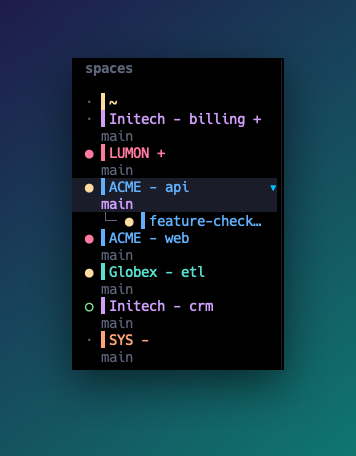
Name spaces CUSTOMER - project, mark the ones you always want on top
with + and the parking lot with -. Space Herder does the rest.
~Home, always first.LUMON +The head group, always on top.ACME - apiOne colour per customer, side by side, worktrees right under their parent.SYS -The bottom group, out of the way.
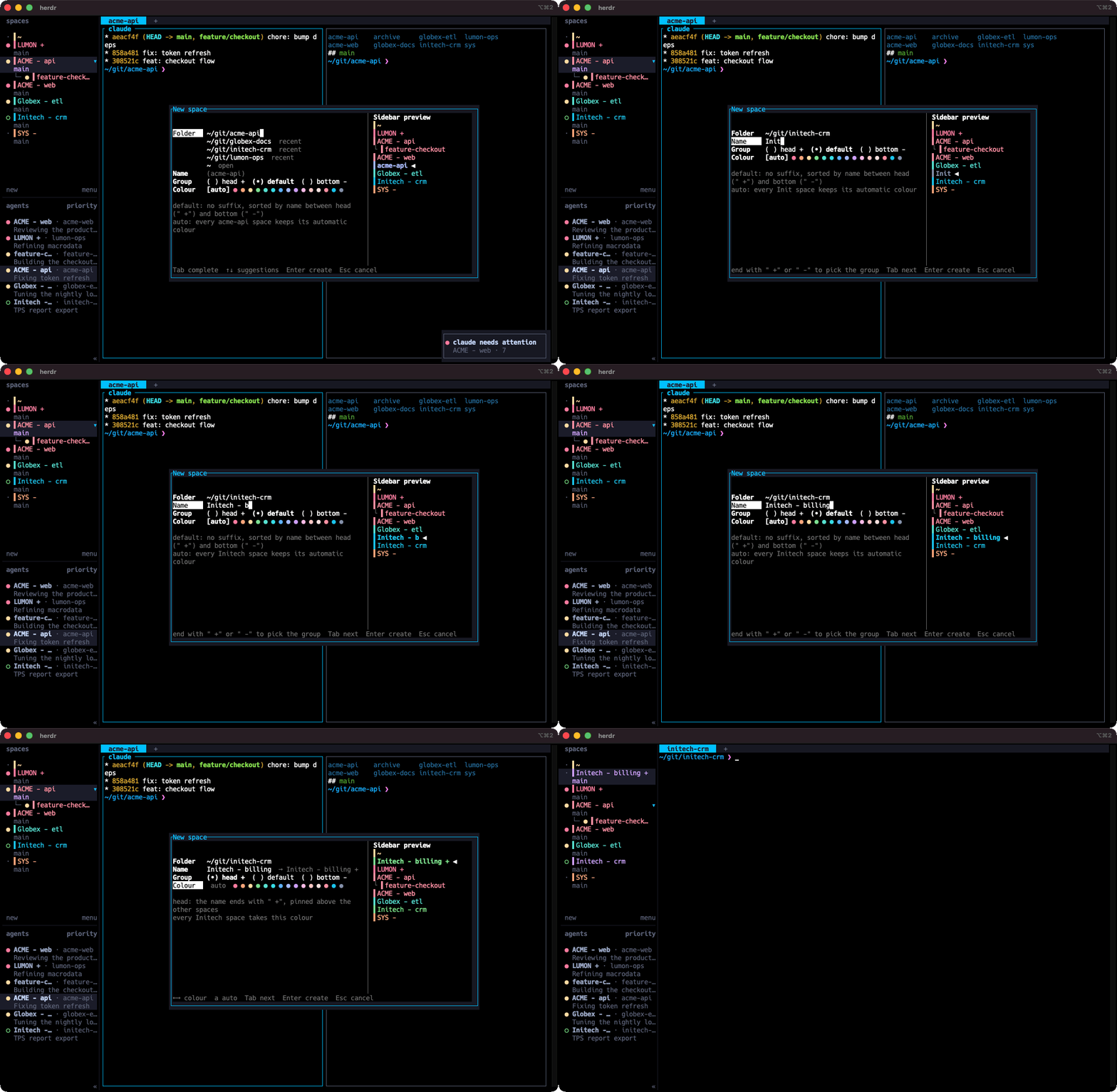
See where it lands before you press Enter.
The new-space and rename dialogs preview the sidebar as you type: the group a suffix picks, the place the space takes, and its customer's colour. Pick another colour and every space of that customer follows.
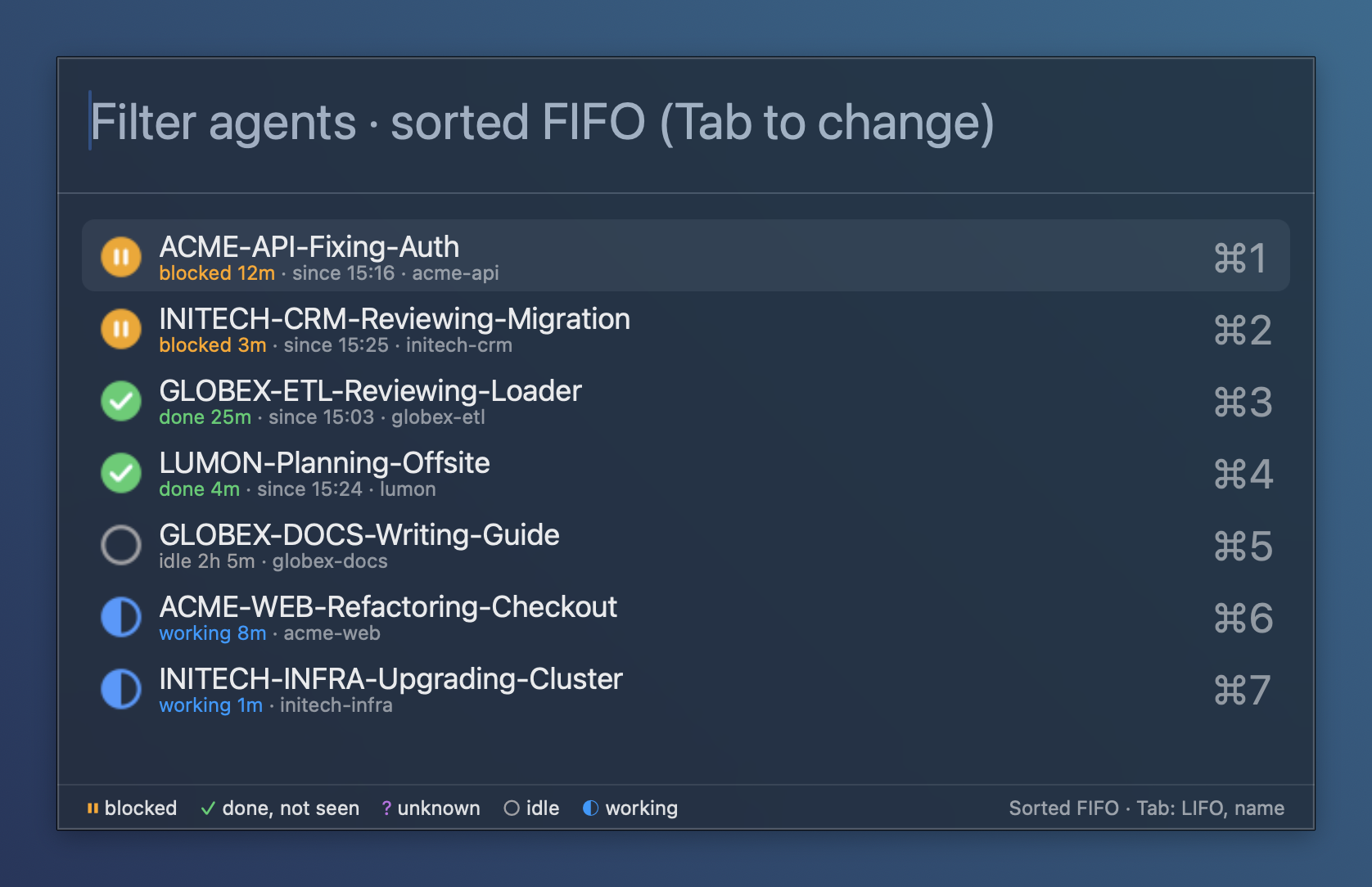
Every waiting agent, one key away.
Run five agents and they queue up for you: a permission here, a finished review there. herdr-jump lines them up first come, first served, says how long each has waited, and takes you to its pane with Enter, whatever app you are in. It needs only a running Herdr: no plugin, nothing to set up inside Herdr.
Short scripts you can read before you run them.
Each one stands alone
No tool needs another. The plugins use the Python standard library only, from 3.9 (the system Python of macOS, with the Command Line Tools) to the latest; herdr-jump needs only the Herdr server.
Read it first
Herdr shows the manifest and the commands before installing. The code is plain Python: no build step, no dependencies.
Tested on every push
CI runs every plugin's tests on macOS with the system Python and with Python 3.13 and 3.14, and on Ubuntu.
Give your herd some order.
Pick the tools you want; each one installs, updates and uninstalls on its own, and none needs another.
herdr plugin install MrBogomips/herdr-tools/space-herderherdr plugin install MrBogomips/herdr-tools/auto-tab-namecurl -fsSL https://raw.githubusercontent.com/MrBogomips/herdr-tools/main/herdr-jump/install.sh | sh