Space Herder
Herds Herdr's spaces sidebar: keeps it sorted into groups, gives every space of one customer the same colour, and replaces Herdr's new-space and rename prompts with dialogs that show the result as you type.
herdr plugin install MrBogomips/herdr-tools/space-herder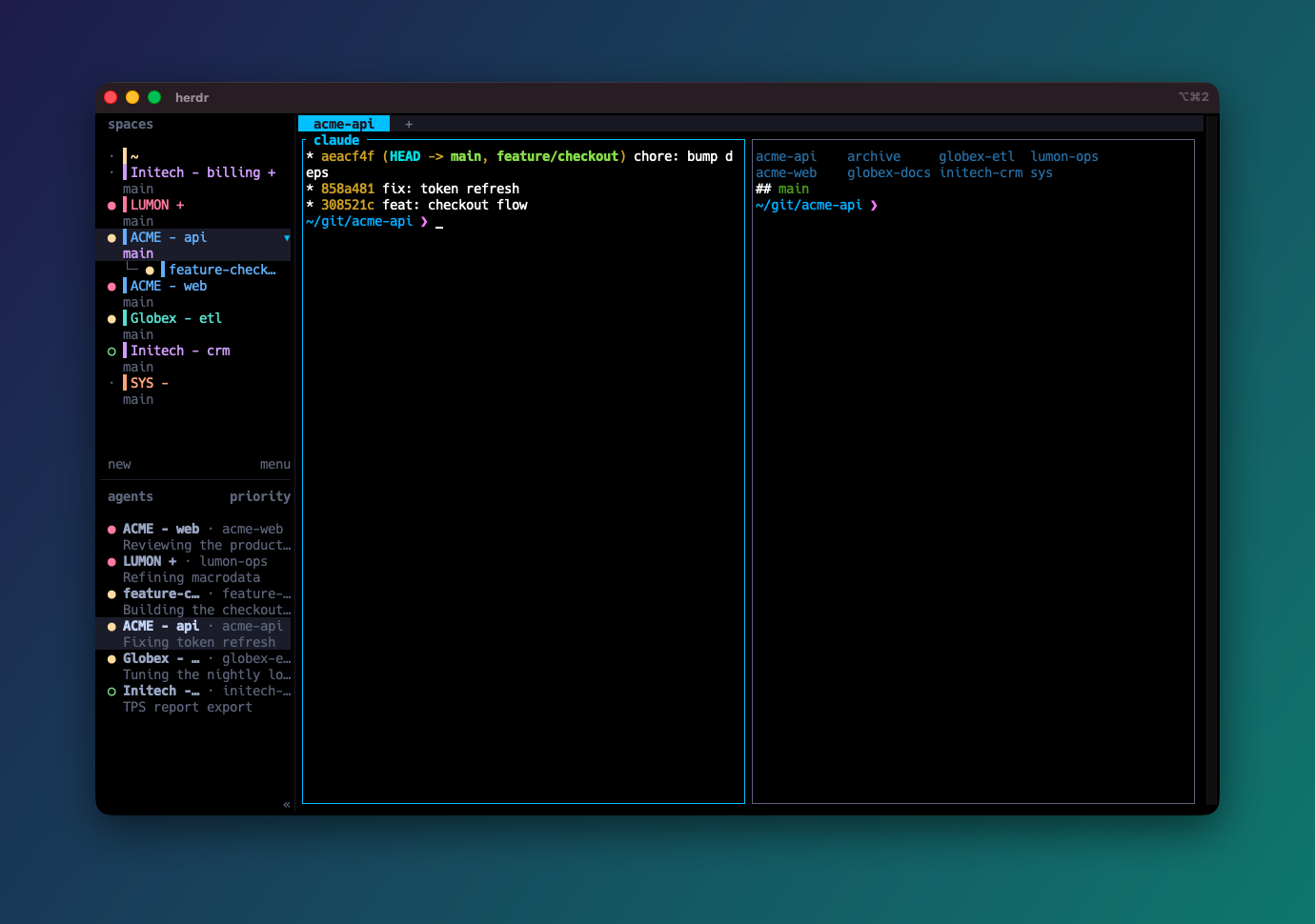
A sidebar that sorts itself
A suffix in the space name picks its group. Groups come in this order, and inside each one spaces sort by name with the suffix removed, ignoring case. Worktree children follow their parent and sit right under it.
| Group | Name convention | Example |
|---|---|---|
| home | the name ~ | ~, always first |
| head | ends with a space and + | LUMON + |
| default | no suffix | ACME - api |
| bottom | ends with a space and - | SYS - |
The space before the suffix is required, so C++ stays in the default group. Sort on a key, or
turn on autosort and let the sidebar sort itself after every new or renamed space:
auto_sort | Sorts after |
|---|---|
"off" (default) | nothing: only the sort key sorts |
"created" | a space is created, a new worktree space included |
"renamed" | a space is renamed |
"both" | either |
The focused space stays focused, sorting a sorted sidebar changes nothing, and space numbers and next/previous-space navigation follow the new order.
A colour per customer
The key is the part of the name before the first -: ACME - api, ACME - web
and ACME + all share ACME, so they share a colour. The colour is chosen in this order:
- Rules first. A regular expression matched against the name; the first match picks the colour.
- Then a colour picked in a dialog for that key.
- Otherwise the key's colour, by
assign:"hash"(default): a stable SHA-256 hash of the key. The same customer gets the same colour on every machine, with nothing stored."sticky": a new key starts from its hash colour but takes the least-used colour when that one is taken, and keeps it. No two customers share a colour until there are more customers than colours.
- Worktree children take their parent's colour, so a repo's checkouts match it.
With hashing alone and 15 colours, the odds that some two of six customers share a colour
are about 2 in 3. Use "assign": "sticky", or pin a customer to a colour with a rule.
9 preset palettes
Accent colours of popular themes, the most distinct first, up to the 15 a sidebar row can hold. Or bring your own list of hex colours.
Dialogs that show the result
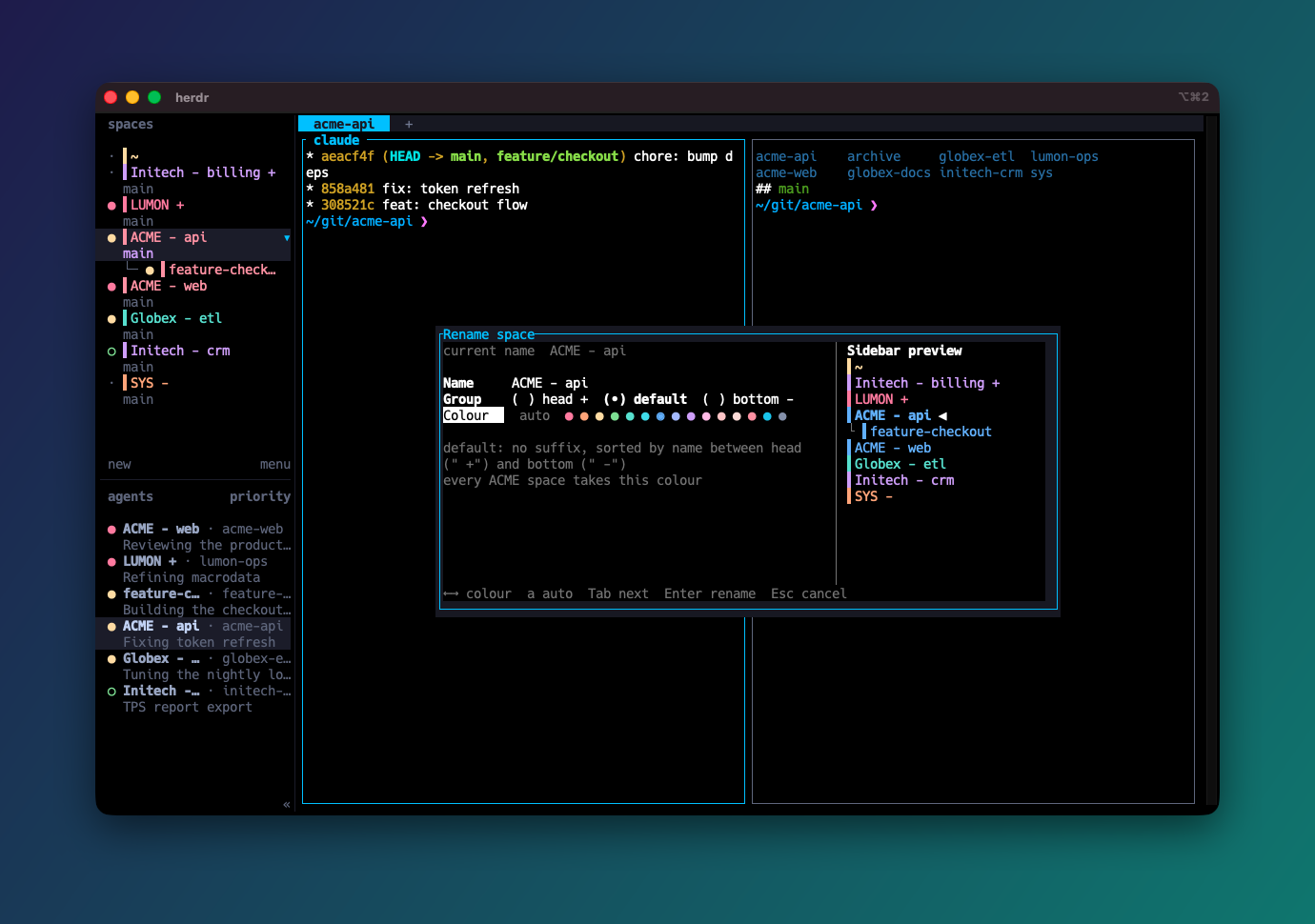
Herdr's own prompts ask only for a name. Space Herder's dialogs open in a popup and show the sidebar as it will look: the name with its group suffix, the space in its place and in its colour.
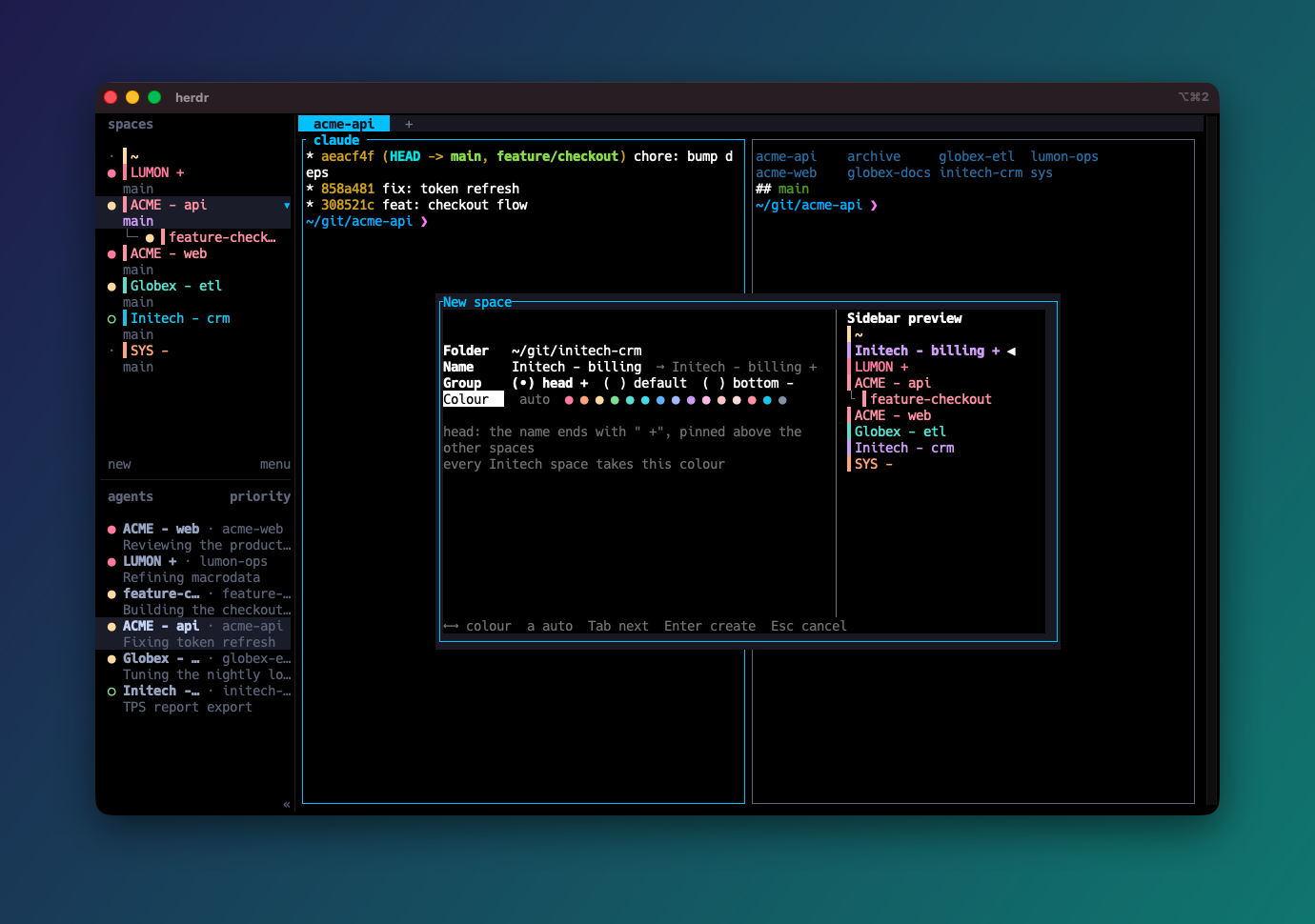
| Field | Keys | What it does |
|---|---|---|
| Folder (new space) | type, Tab completes, ↑ ↓ | Where the space starts: recent folders, open panes' folders and, with zoxide, its best-ranked ones |
| Name | type, Ctrl+W, Ctrl+U | Ending it with + or - picks the group |
| Group | ← →, + - = | head, default or bottom |
| Colour | ← →, a for auto | A palette colour for every space of the key, or auto |
Set it up in five steps
- Install the plugin:
herdr plugin install MrBogomips/herdr-tools/space-herder - Optionally create
config.jsoninherdr plugin config-dir mrbogomips.space-herder. This one sorts after every new or renamed space and keeps customers' colours apart:{ "auto_sort": "both", "assign": "sticky" } - Generate the sidebar rows; the path shows in a toast:
herdr plugin action invoke mrbogomips.space-herder.snippet - In
~/.config/herdr/config.toml, setrowsof your[ui.sidebar.spaces]table to the value from that file, and bind the sort and the dialogs:[keys] new_workspace = "prefix+ctrl+n" # Herdr's own prompts, still reachable rename_workspace = "prefix+ctrl+w" [[keys.command]] key = "prefix+shift+s" type = "plugin_action" command = "mrbogomips.space-herder.sort" [[keys.command]] key = "prefix+shift+n" type = "plugin_action" command = "mrbogomips.space-herder.new-space" [[keys.command]] key = "prefix+shift+w" type = "plugin_action" command = "mrbogomips.space-herder.rename-space" - Check, then reload:
herdr config check && herdr server reload-config
Never paste a second [ui.sidebar.spaces] table: a duplicate table makes
the whole config invalid and Herdr falls back to its defaults, key bindings included.
Configuration
Every key is optional. The file is read on every run, so auto_sort changes apply at once.
Changed palette, palette_size or a rule's colour? The colours live in
config.toml: run the snippet action again, put the new rows in config.toml, run
herdr server reload-config, then the recolor action. The first comment line of the rows
carries a fingerprint of the colours, so you can tell whether yours are current.
| Key | Default | Meaning |
|---|---|---|
auto_sort | "off" | "off", "created", "renamed" or "both" |
palette | "catppuccin" | A preset name, or your own list of hex colours |
palette_size | all | Use only the first N colours, to leave slots for rule colours |
assign | "hash" | "hash" or "sticky" |
key | "prefix" | "prefix", "suffix" or "whole" |
separator | " -" | Splits prefix from suffix |
marker | "▌" | Drawn before the name in the same colour |
rules | [] | {"match": "<regex>", "color": ...}, checked before the key's colour |
The README documents every key, the colour slots and the sticky assignments file.
Good to know
- Herdr styles a token's foreground only, so there is no background colour: the marker before the name stands in for a swatch.
- At most 15 colours, the tokens one sidebar row holds next to the agent-state dot.
- The colours are 24-bit, like the dialogs' swatches: they need a terminal with truecolor support (iTerm2, Ghostty, WezTerm and kitty have it).
- The colours show in the expanded sidebar; the collapsed rail and the mobile layout keep Herdr's own rendering.
ACME-apidoes not split on-: keep the space before the dash, or changeseparator.- A space dragged by hand goes back to its group at the next sort.